
How to Use the JotAudit Admin Dashboard
The JotAudit Admin Dashboard helps you monitor documentation compliance across your organization — so you can spot risk early and keep every note audit-ready.
It gives practice owners a clear view of where documentation is strong, where it’s drifting, and what to address before it turns into denials, recoupments, or audit exposure.
What you’ll see on the dashboard
When you open the Admin Dashboard, you’ll see a quick health snapshot of your clinic, organized by compliance rule.
That makes it easy to:
See what’s consistently documented well
Identify which rules are being missed most often
Prioritize what to address first
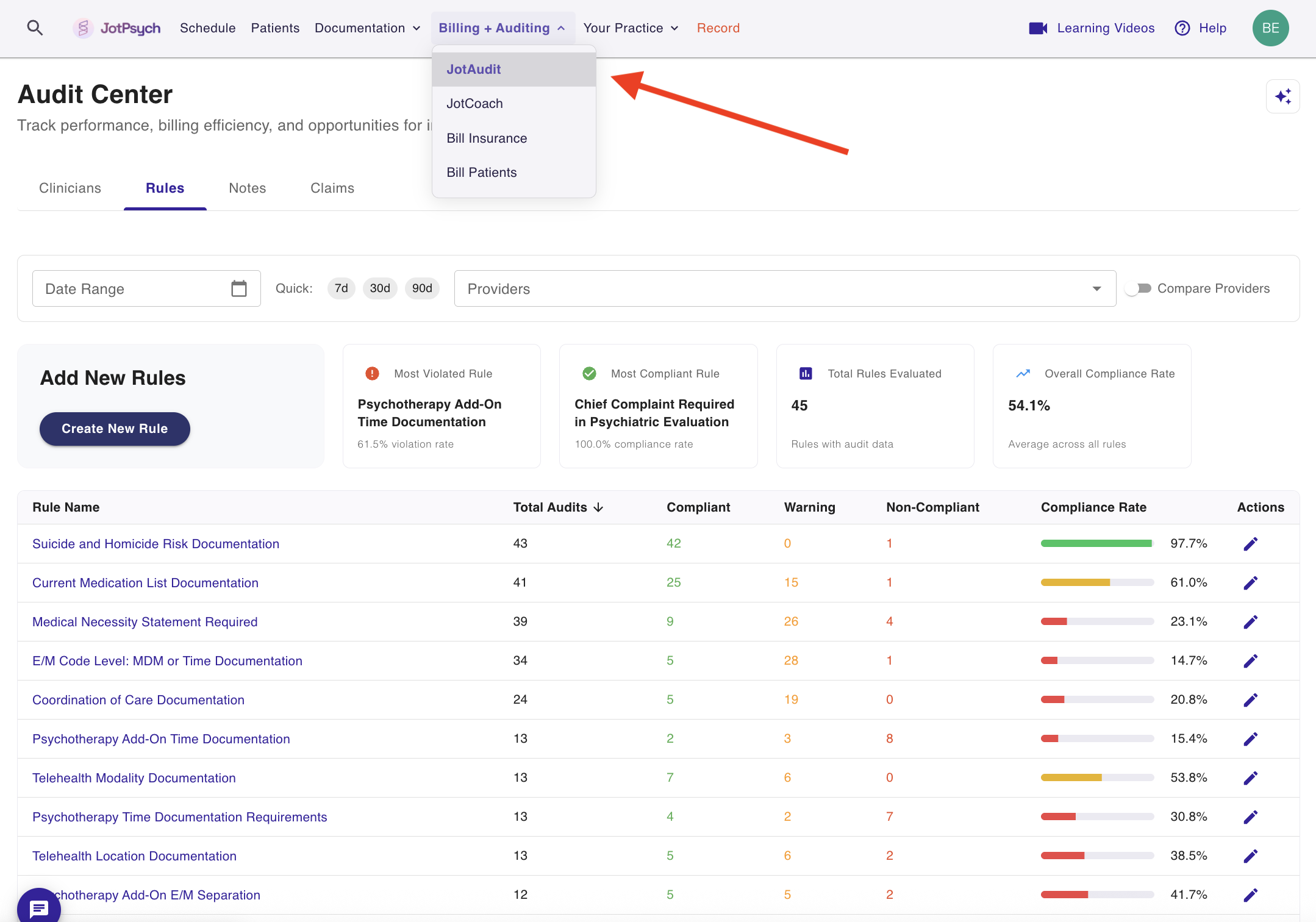
Rules grounded in real-world guidance
JotAudit’s checks are grounded in real-world guidance, including publicly available payer and policy documentation — so the rules reflect what payers and auditors actually look for.
Customize what JotAudit evaluates
You’re in control of what JotAudit evaluates.
From the Admin Dashboard, you can:
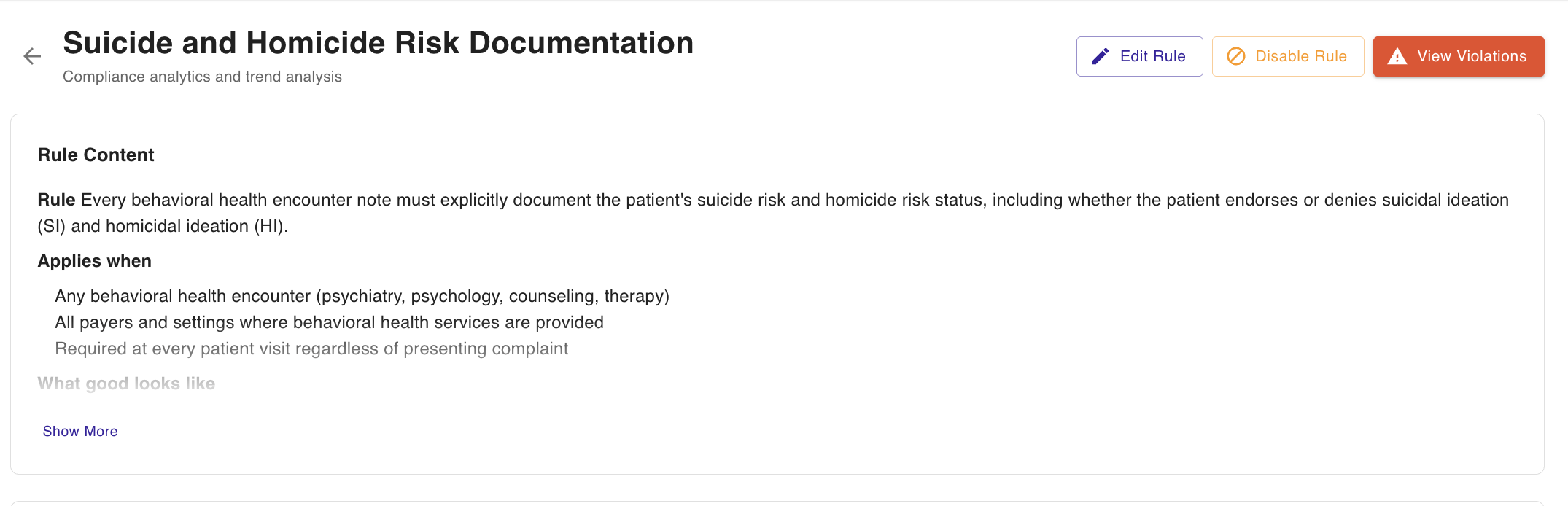
Disable rules that don’t apply to your clinic
Edit rules to match how your organization documents
If you choose to edit a rule, use the AI chatbot editor to quickly rewrite or tighten rule language.
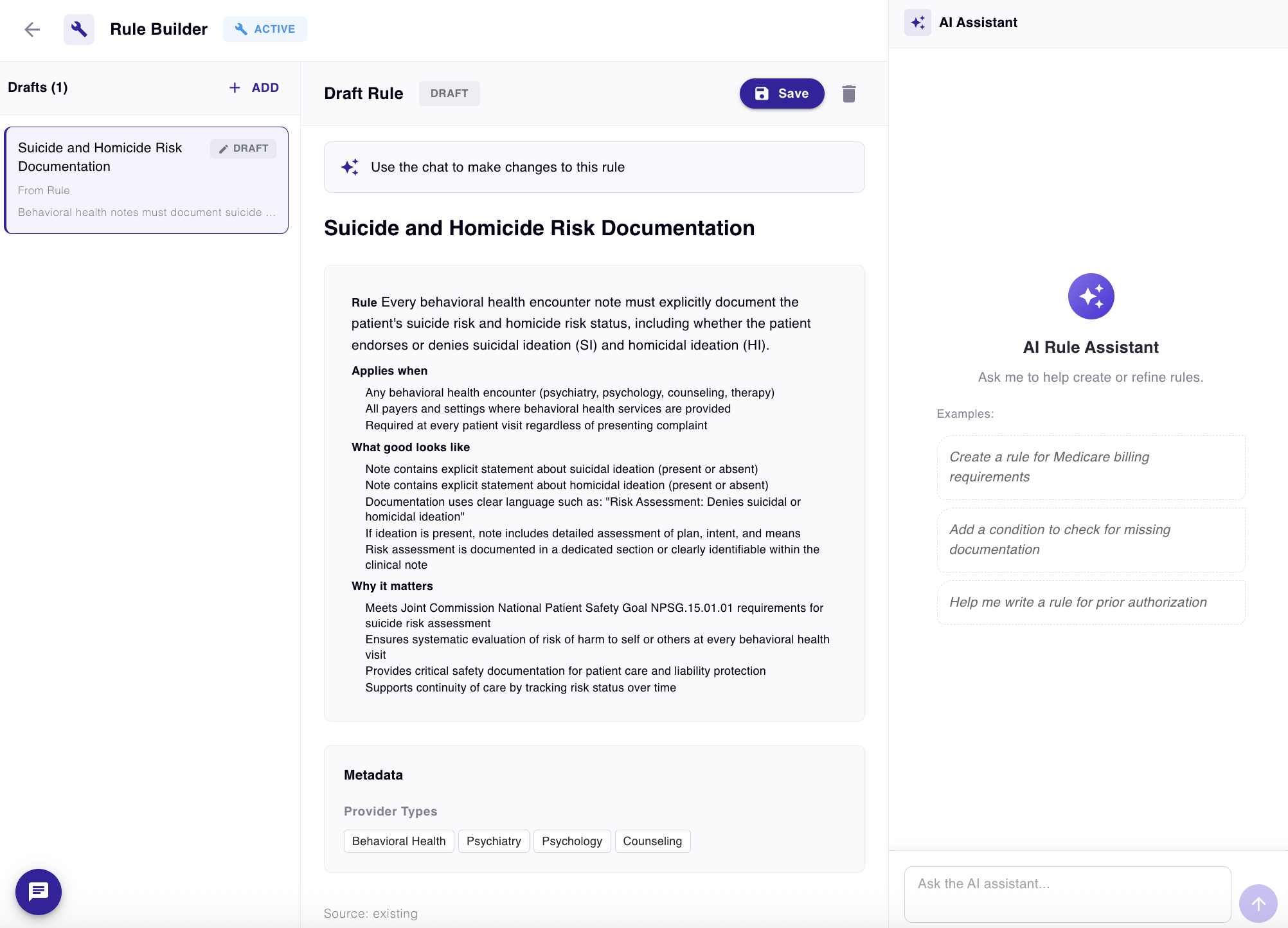
This keeps flags and suggestions aligned with your clinic’s standards, workflows, and documentation style.
Drill down by clinician and by note
From the dashboard, you can review your clinicians and the compliance of their notes, allowing you to identify emerging patterns over time and track progress.
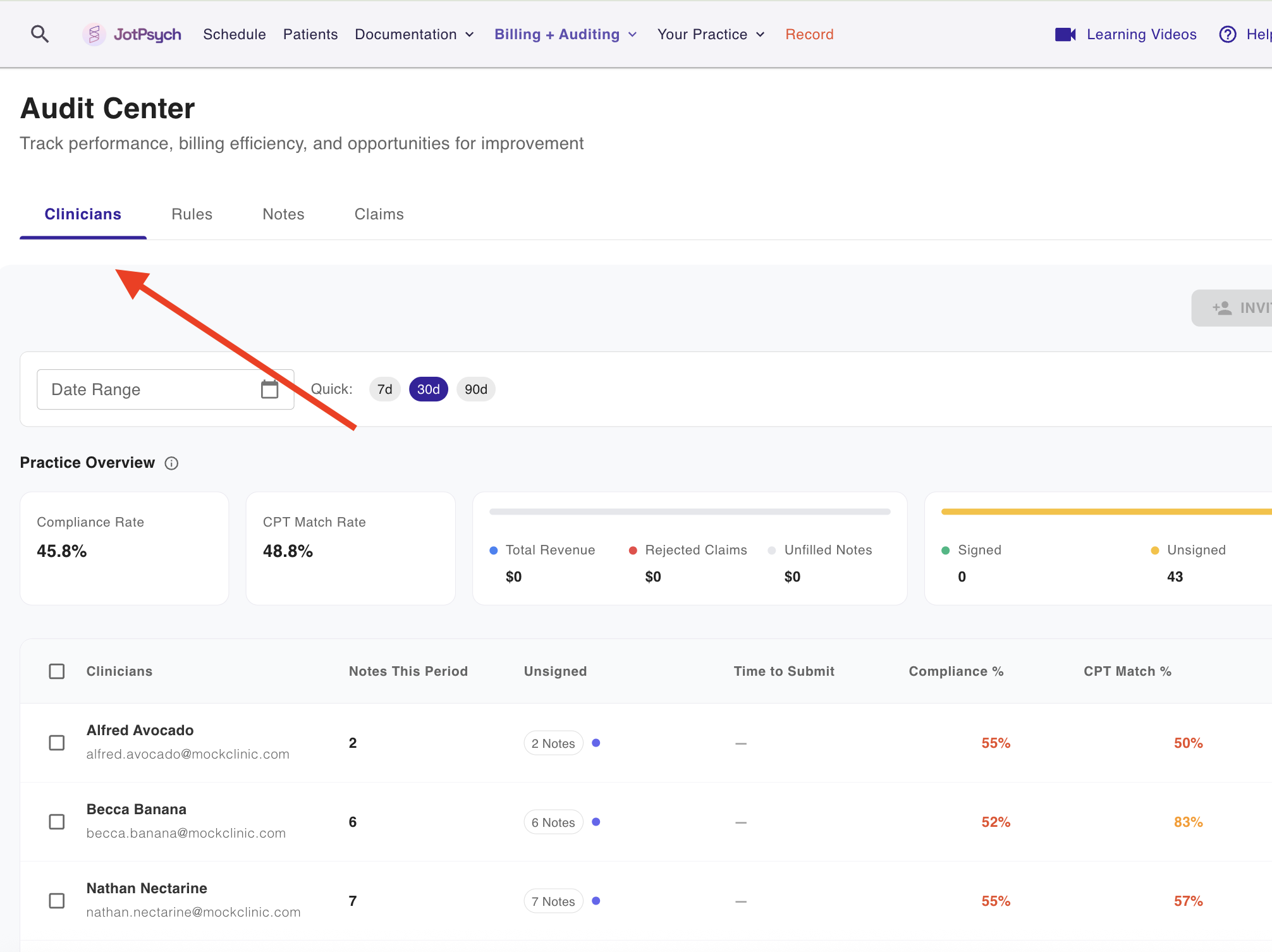
You can select a clinician, and review their notes directly. You’ll get a full breakdown including:
CPT code review
A rule-by-rule view grouped by severity:
Not compliant
Warning
Suggestion
This makes it easier to understand what’s happening, coach effectively, and focus on the highest-risk gaps first.
FAQs
Who is the Admin Dashboard for?
It’s designed for clinic admins and practice owners who want visibility into documentation quality and compliance patterns across multiple clinicians.
Can I tailor rules to my clinic’s standards?
Yes. You can disable rules or edit them using the AI chatbot editor so the checks reflect your clinic’s expectations.
Does the dashboard show individual note details?
Yes. You can drill down from organization-level trends → clinician view → individual notes for CPT context and rule-by-rule findings.