
How to Use JotAudit
JotAudit is an in-note compliance checker that helps you confirm your documentation supports what you’re billing — and catch missing details before you export or sign.
After your note is generated, JotAudit appears right inside the note to:
Recommend or validate a CPT code based on what’s documented
Flag documentation gaps that could put your billing at risk
Help you fix issues fast with guided edits and AI-assisted updates
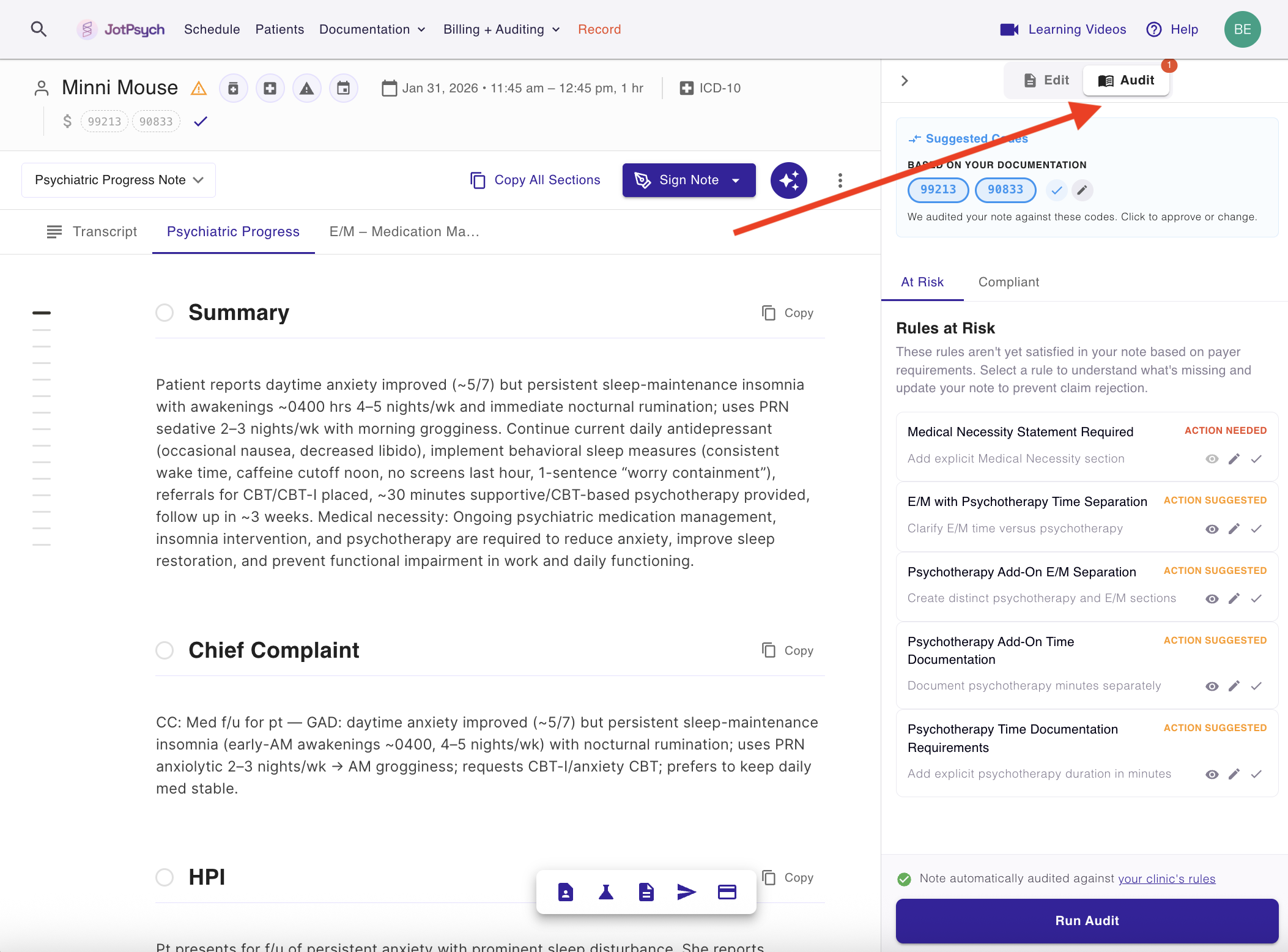
How JotAudit works
JotAudit is broken into two parts: CPT Check and Rule Checks.
CPT Check
At the top of JotAudit, you’ll see the CPT check:
If you don’t select a CPT code, JotAudit recommends one based on your documentation.
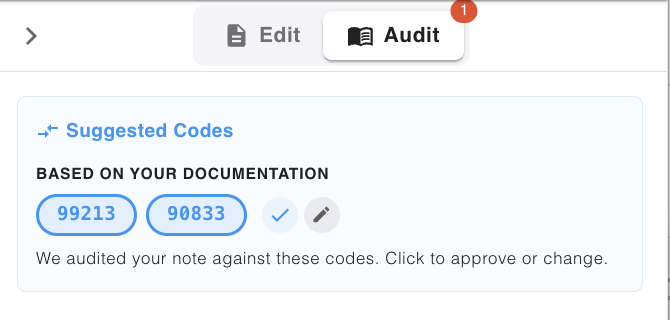
If you do select a CPT code, JotAudit compares it to the system’s recommendation and shows whether it matches.
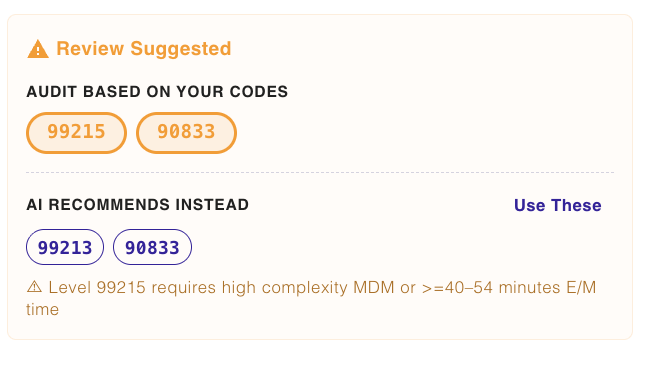
If there’s a mismatch, JotAudit helps you decide what to do next:
Adjust the CPT code, or
Add the missing documentation needed to support the level you’re billing
Rule Checks
Next are the rule checks.
JotAudit applies the rules that are relevant to your note based on the CPT context, then scans your documentation to identify where support may be missing.
Results are grouped by severity so you can triage quickly:
Not compliant where action is needed (highest priority)
Warning where action is suggested
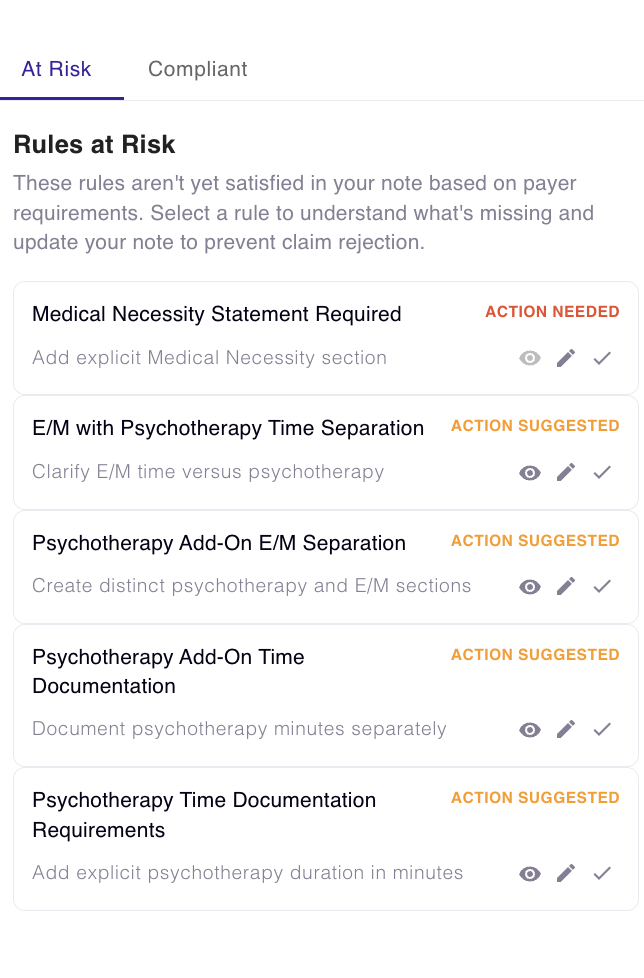
Anything you already satisfy — or don’t find relevant — can be collapsed to keep your view clean by selecting the pencil icon on the rule.
Fix issues without leaving the note
When you want to address something, click Fix with AI on a rule.
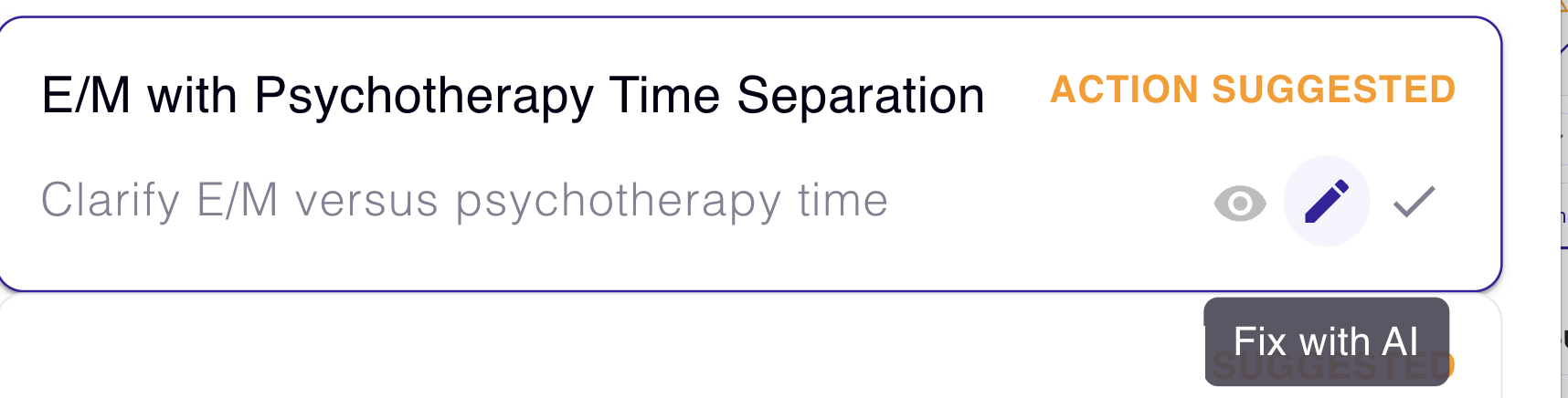
JotAudit will bring you directly into the editor focused on that specific issue, so you can update documentation quickly (without hunting through the note).
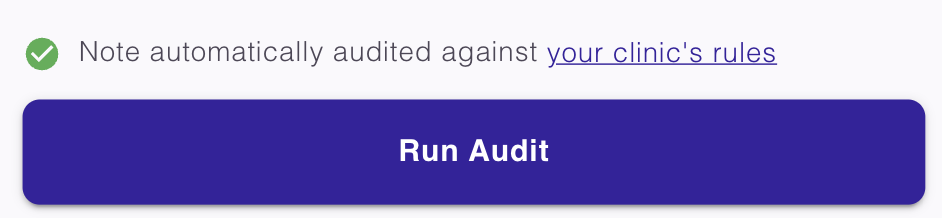
After you make changes, you can click Run Audit at the bottom to confirm the issue is resolved before you complete the note.
Payer-aware templates (optional)
In some cases, JotAudit may suggest a custom payer-aware template that builds your note against payer rules from the start — reducing the number of issues that show up later.
If you like the template, you can add it to your template list so it’s ready to use for future notes.
FAQs
Do I have to pick a CPT code to use JotAudit?
No. If you don’t pick one, JotAudit can recommend a CPT code based on what’s documented.
If JotAudit says there’s a mismatch, does that mean I billed wrong?
Not necessarily. A mismatch means the documentation currently supports a different level than the one selected. You can either adjust the CPT or add supporting documentation (if appropriate).
Will fixing a rule change my whole note?
No — fixes are targeted to the specific issue you selected, and you can review changes before signing.
Can I ignore or collapse items that aren’t relevant?
Yes. You can collapse items you already satisfy or don’t find relevant to stay focused on what matters.